The Travel Card (TCard) makes business travel easier. Use it to pay for approved travel expenses, minimize personal spending, and keep trips compliant from start to finish. TCards are NOT intended to be used for departmental goods & service purchases.
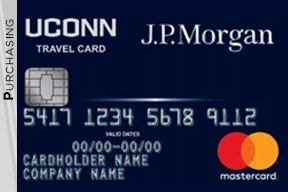
Faculty and Staff
Faculty & Staff Approved and Restricted Charges
Faculty & Staff Approved Charges
- Airfare
- Hotel
- Train (Amtrak)
- Car Rental–Fuel for Rental
- Baggage Fees
- Conference Registrations (Includes virtual conferences)
- Individual Meal Costs (If not claimed on per Diem.)
- Business Meals (review approval guidelines in the Travel Policy)
- Gratuities
- Ground Transportation
- Taxis–Uber/Lyft
- Local train services (e.g., MetroNorth, MBTA, etc.)
- Tolls
Faculty & Staff Restricted Charges
- Alcoholic beverages
- Personal / Non-business related charges
- Personal car gas
Please Note: Any charges NOT in full compliance with University travel policy, are considered restricted.
Faculty & Staff Travel Card Request Status
Instructions
- Log in
- Click on the first tab, University Expense Card Request
- Review a read only version of your application
- Review the Stage on the second column (This will show which stage the application is in)
The following stages could appear:
Supervisor Review
The cardholders supervisor needs to approve and then it will move to the department head review.
Department Head Review
The cardholders department head needs to approve and then it will move to expense card admin review.
Expense card Admin Review
In our queue to process and request card.
Final Review
Has been processed with the bank and our office will notify you when the card has arrived. This can take up to 10 business days.
Faculty & Staff Travel Card Contacts
| Agency | Normal Business Hours | Contact |
|---|---|---|
| Travel & Card Services General University Travel Card Questions | 8:00 a.m. – 4:30 p.m.* | 860-486-2289 (US) pcard@uconn.edu |
| J.P. Morgan Chase If your card has been lost, stolen or damaged, call immediately. | 24 hours per day, 7 days a week | 800-316-6056 (US) 847-488-3748 (Int’l) |
*All times eastern
Student Travel Card
Students requiring a Travel Card to cover out-of-pocket expenses while traveling will need to complete the following steps to get a card. (Excludes Grad Assistants, Grad Interns, and Post Docs)
Students will use the following link to apply for a Travel Card:
https://uconn.kualibuild.com/app/63a5c1593c8de5becde86605/run
- On this form students must include all anticipated travel expenses. (excluding airfare, car rental, or hotel as they will be purchased on an employee’s Travel Card or directly billed). Expenses must total $100 or more to qualify for a Student Travel Card.
- Each student is required to take the Student Travel Card training in HuskyCT and pass with a score of 85% or better.
- Once the training is completed, the student will receive a certificate of completion, which they should attach to the Student Travel Card application.
https://lms.uconn.edu/ultra/organizations/_111968_1/cl/outline - The Student Travel Card will be active for use from the business start date to the business end date of each trip. After the business end date of the trip, the Student Travel Card limit will be reduced to $1.
- For each new trip, the student will submit an updated Student Travel Card Application with the last four digits of their card number, new business start and end dates, and a dollar amount of anticipated expenses (excluding airfare, car rental, and hotel).
- Once the Student Travel Card Application is approved, each student will receive an email from no-reply@mail.kualibuild.com.
- From the time your application is fully approved, please allow 7-10 business days for all new cards to come in. A member of the Travel and Payment Card Services Team will email you when your card is ready for pickup.
- Please note: All students traveling internationally must submit a Request in Concur to obtain Cultural Insurance Services International (CISI) coverage. Once the request is fully approved, the student’s information will be sent for processing and the student will receive an email from CISI.
- To check the status of your Student Travel Card or to see any comments on your form: Use this link to get back into Kuali Build https://uconn.kualibuild.com/, click My Documents up at the top and click on your Student Travel Card Request Form. Once in the form, click the View toggle button on the left hand side from Review to Status. You can now view what step the form is in.
The Student Travel Card training certificate of completion is valid for one year. The student will not need to retake the training if they have already completed and passed it within the last 12 months.
Student Travel Card Use Approved Charges
- Individual Actual Meals
- Airline fees (e.g. ‘baggage fees, etc.)
- Train (Amtrak)
- Car Rental–Fuel for Rental
- Ground Transportation
- Taxis–Uber/Lyft
- Local train services (e.g., MetroNorth, MBTA, etc.)
- Tolls
Student Travel Card Use Restricted Charges
- Personal / Non-business related charges
- Personal car gas
- Airfare
- Hotel
- Car rental
- Please Note: Any charges NOT in full compliance with University travel policy, are considered restricted.
Student Travel Card Contacts
| Agency | Normal Business Hours | Contact |
|---|---|---|
| Travel and University Card Services General University Travel Card Questions | 8:00 a.m. – 4:30 p.m.* | 860-486-2289 opt 2 (US) pcard@uconn.edu |
| J.P. Morgan Chase If your card has been lost, stolen or damaged, call immediately. | 24 hours per day, 7 days a week | 800-316-6056 (US) 847-488-3748 (Int’l) |
*All times eastern

Travel Quick Links
Travel & Card Services Support
860-486-2289 option 2
travel@uconn.edu
pcard@uconn.edu